
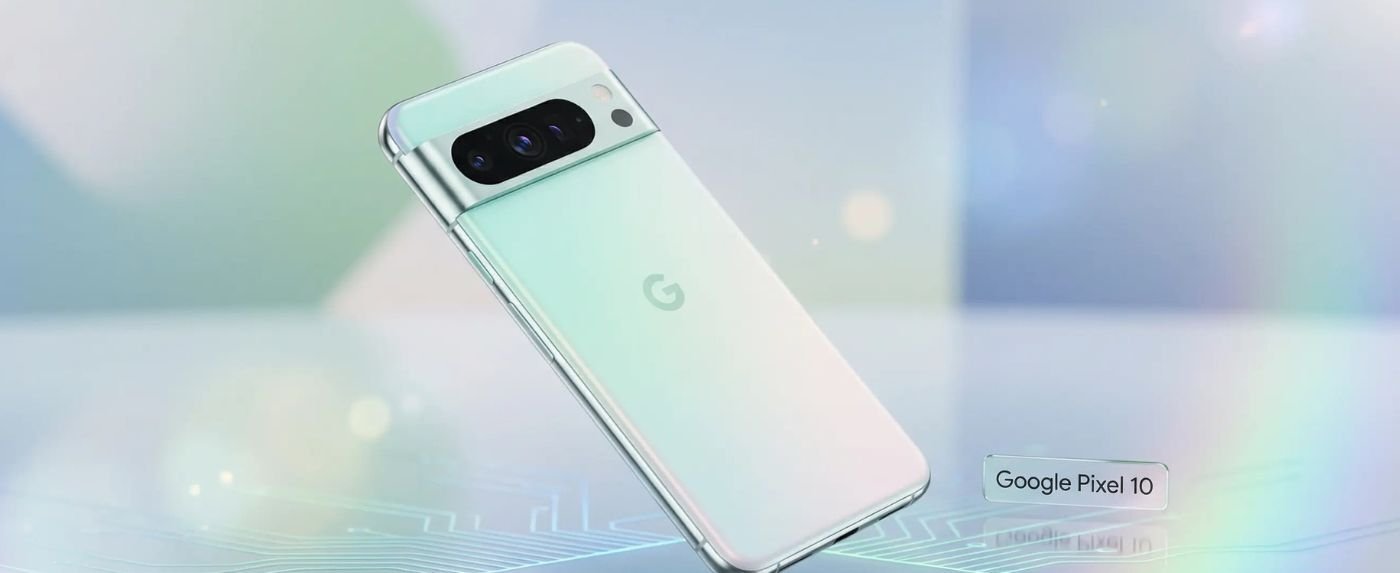
The Google Pixel 10 marks a decade of innovation, setting a new 2026 benchmark for AI-driven smartphones. By shifting focus from raw specs to seamless on-device intelligence, Google offers a software triumph that addresses long-standing hardware challenges.
Available sim-free, the Google Pixel 10 from Carphone Warehouse is £549; it undercuts major rivals while finally introducing a dedicated telephoto lens to the base model.
Featuring a refined, rounded design and a slimmer camera bar, the Pixel 10 is the ultimate “everyday flagship.” It’s built for users who demand elite photography and smart features within a compact, ergonomic 6.3-inch frame.
Table of Contents
ToggleStandout Features
The Google Pixel 10 is packed with “industry-first” AI capabilities that make the phone feel proactive rather than reactive.
Advanced AI with Gemini Live
The headline feature is Gemini Live, which allows you to have natural, back-and-forth voice conversations with your assistant. You can even share your camera feed during a call, and Gemini can “see” what you’re looking at to provide real-time instructions or help.
- Magic Cue: Proactively suggests actions based on your current activity, like surfacing a flight ticket when you arrive at the airport.
- Camera Coach: An AI assistant that helps you frame shots and suggests the best lighting modes in real-time.
Display and Camera Specs
The Google Pixel 10’s display specs are impressive. It features a 6.3-inch Actua OLED panel with a staggering 3,000 nits peak brightness, making it one of the most visible screens under direct sunlight.
- Triple Camera Array: 48MP Main, 13MP Ultra-Wide, and a new 10.8MP Telephoto with 5x optical zoom.
- Auto Best Take: Uses AI to ensure everyone in a group photo is smiling and looking at the camera.
Performance Breakdown
The Google Pixel 10 is powered by the Tensor G5 chip, which is significant because it is the first Google processor manufactured by TSMC on a 3nm process. This change was expected to solve all of Google’s historic performance issues.
Processor Speed and Multitasking
In real-world use, the Tensor G5 provides a 34% boost in CPU performance over the previous generation. Multitasking is remarkably smooth, aided by 12GB of RAM. Apps stay open in the background longer, and switching between heavy tasks like Google Maps and 4K video editing feels instantaneous.
Gaming Benchmarks
While day-to-day performance is snappy, gaming remains a mixed bag. The Pixel 10 can handle titles like Valorant Mobile at a stable 60 FPS. However, in more demanding games like Genshin Impact, it still struggles to maintain maximum settings compared to Snapdragon-powered rivals. Google’s focus is clearly on AI stability rather than raw frame rates.
Charging Speed
Google has finally listened to feedback regarding its historically slow charging. The Google Pixel 10 now supports faster wired top-ups, though it still lags slightly behind the “Speed King” competitors.
- Wired Charging: Supports up to 30W (reaching 50% in roughly 30 minutes). The Pro XL model goes higher, but for the base 10, the speed is a solid improvement.
- Wireless Qi2 Support: This is a major win. The Pixel 10 includes Qi2 magnetic charging, allowing it to snap onto accessories just like Apple’s MagSafe.
- Reverse Charging: The “Battery Share” feature is more efficient than ever, allowing you to quickly charge your Pixel Buds Pro 2 on the back of the phone.
Charger Compatibility
A common point of confusion for new buyers is what comes in the box. Like most modern flagships, the Google Pixel 10 does not include a power brick.
USB-C PD Requirements
To achieve the advertised speeds, you cannot just use any old “fast charger.” You specifically need a USB-C Power Delivery adapter with a Programmable Power Supply.
- Google’s Official 45W Adapter: The safest choice for maximum speed.
- Third-Party Recommendations: Trusted brands like Anker or Ugreen offer 45W or 65W GaN chargers that are more compact and often cheaper than Google’s official option.
Notable Issues
Despite the move to a 3nm TSMC process, the Google Pixel 10 is not without its growing pains. Users and reviewers have noted a few consistent glitches during the first few months of release.
- Camera App Instability: Some users report the camera app freezing when switching rapidly between the 5x zoom and the ultra-wide lens.
- Storage Limits: The base 128GB model feels cramped in 2026, especially since 4K video and high-res AI images eat through space quickly.
- Connectivity Drops: There have been reports on forums about Wi-Fi 6E toggles “graying out” after specific software updates, though Google usually fixes these with monthly security patches.
- Overheating: While much better than the Pixel 8 or 9, the phone can still get quite warm during 25+ minute sessions of Genshin Impact or while using 5G in areas with poor reception.
Conclusion
The Google Pixel 10 is easily the best “standard” phone Google has ever made. By including a telephoto lens and the highly efficient Tensor G5, they have finally created a base model that doesn’t feel like a compromise.
Rating: 4.5/5
- Value Assessment: At £549, it offers better software support (7 years of updates) and smarter AI than almost any other phone in its price bracket.
- Buying Recommendation: If you are a mobile gamer, look elsewhere. But if you want a phone that simplifies your life with AI, takes world-class photos, and fits perfectly in your hand, the Pixel 10 is the choice for 2026.
FAQs
Q1. How do I fix the Google Pixel 10 overheating during heavy use?
Lower your screen brightness and avoid using the phone while charging; if it gets very hot, remove the case temporarily to help heat dissipate from the Tensor G5 chip.
Q2. What should I do if Gemini Live stops responding or crashes?
Go to Settings > Apps > Gemini, clear the app cache, and ensure “AI Core” is updated in the Play Store to keep on-device AI features running smoothly.
Q3. How can I resolve intermittent Wi-Fi or Bluetooth connection drops?
Reset your network settings via Settings > System > Reset options; if the issue persists after the January 2026 update, check for a follow-up Google Play Services patch.
Q4. How do I manage storage if my 128GB Pixel 10 is almost full?
Enable Smart Storage in your settings to automatically remove backed-up photos, and use the “Free up space” tool to identify large, unused files or duplicate screenshots.
Q5. What is the fix for the Camera app freezing when switching modes?
Ensure all system services are updated in settings; if it still lags, some users find that uninstalling camera app updates and reinstalling the latest version from the Play Store restores stability.