
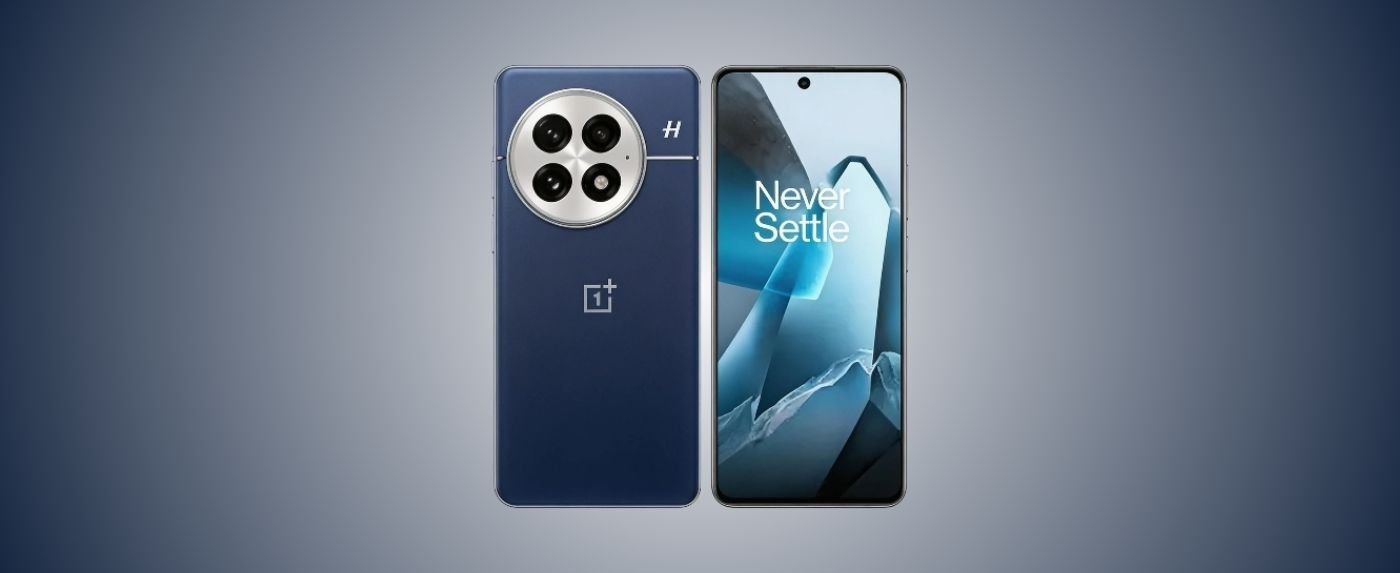
The OnePlus 14 has officially entered the 2026 flagship arena, promising “Never Settle” performance with its cutting-edge Snapdragon chipset and Hasselblad-tuned optics.
While it boasts some of the fastest charging speeds in the industry, early adopters have noted a few technical hurdles.
In this comprehensive guide, we move beyond the marketing hype to address real-world performance.
Whether you are dealing with a OnePlus bug report or simply want to optimize your device, these proven solutions will help you master your new flagship.
Table of Contents
ToggleIs Your OnePlus 14 Battery Draining Fast? How to Fix Overheating
The OnePlus 14 features a massive 5,500 mAh battery, yet some users report the device struggling to last a full day. High-performance hardware often comes with thermal challenges that can throttle your experience.
Causes of OnePlus 14 Battery Drain and Overheating
Battery depletion is often linked to the 144 Hz refresh rate and the ultra-bright 4,500-nit peak display.
Furthermore, background synchronization of the OnePlus Android 14 system files can cause the processor to run overtime during the first week of use.
Overheating usually occurs during 100W SuperVOOC charging or while recording 8K video for extended periods.
OnePlus 14 Battery Life Solutions and Prevention Tips
- Enable Auto-Select Refresh Rate: Go to Settings > Display > Screen Refresh Rate and select “Auto-select.” This allows the phone to drop to 1 Hz when viewing static content.
- Disable High Performance Mode: Unless you are gaming, keep this toggle off in the Battery settings to significantly reduce heat.
- Optimize Standby: Turn on “Sleep Standby Optimization” to limit data usage while you are asleep.
- Avoid Sunlight during Charging: Charging at 100W generates internal heat; avoid placing the phone on soft surfaces like beds or in direct sunlight while plugged in.
Fix OnePlus 14 Camera Not Focusing or Glitching
OnePlus continues its partnership with Hasselblad, but software processing can sometimes lag behind the impressive hardware.
Why OnePlus 14 Camera Problems Happen
Focusing issues often stem from the new “Omni-directional PDAF” system struggling with low-contrast subjects.
Software glitches, such as the app closing unexpectedly, are usually caused by a full cache or conflicts with third-party social media camera filters.
How to Solve OnePlus 14 Camera Issues Step-by-Step
- Clean the Lenses: Use a microfiber cloth; the large circular camera housing is a magnet for fingerprints.
- Reset Camera Settings: Open the Camera app > Settings > Restore Defaults.
- Clear App Cache: Long-press the Camera icon > App Info > Storage > Clear Cache.
- Check for Hasselblad Updates: OnePlus often pushes camera-specific patches via the Play Store or system updates—ensure you are on the latest build.
OnePlus 14 Software Bugs: Update Errors and Fixes
Operating on OxygenOS based on the latest OnePlus Android 14 architecture, the device is generally smooth, but no software is perfect.
OnePlus 14 Common Software Glitches Explained
Users have reported “System UI” crashes and issues with the Alert Slider not triggering the correct profile.
Similar to the OnePlus 13 common problems, these are typically “Day 1” bugs that arise from deep-level code optimization for the new NPU (Neural Processing Unit).
Troubleshoot OnePlus 14 Bugs and Updates
- Submit a OnePlus Bug Report: Tap 7 times on Build Number in About Device, then use the Feedback tool to alert developers.
- Force Restart: If the screen freezes, hold Power and Volume Up for 15 seconds.
- Check Update Integrity: If an update fails to install, delete the downloaded package from the “Downloads” folder and try again over a stable Wi-Fi connection.
OnePlus 14 Display Flickering and Touch Issues
The OnePlus 14 uses a state-of-the-art LTPO AMOLED panel, but high-tech screens can be sensitive to voltage fluctuations.
Reasons for OnePlus 14 Screen Problems
Display flickering is often caused by “DC Dimming” conflicts at very low brightness levels. Touch unresponsiveness is frequently linked to “mistouch prevention” being too aggressive or poor-quality third-party screen protectors interfering with the ultrasonic fingerprint sensor.
Quick Fixes for OnePlus 14 Display Errors
- Toggle DC Dimming: Search for “DC Dimming” in settings and toggle it to see if flickering stops.
- Adjust Touch Sensitivity: If using a protector, go to Settings > Special Features and adjust the sensitivity.
- Disable Adaptive Brightness: Sometimes the sensor miscalculates ambient light; setting it manually can stop sudden “screen jumps.”
OnePlus 14 Wi-Fi/Bluetooth Dropping? Best Fixes
Connectivity is vital for a flagship, yet “dropping” signals can be the most frustrating experience for a user.
Diagnose OnePlus 14 Connectivity Problems
Interference from 2.4 GHz household appliances or outdated router firmware often causes Wi-Fi drops.
Bluetooth issues usually involve “Dual Audio” conflicts where the phone struggles to manage two connected devices simultaneously.
How to Fix OnePlus 14 Wi-Fi and Bluetooth Issues
- Reset Wi-Fi & Bluetooth: Go to Settings > System > Reset Options > Reset Wi-Fi, Mobile & Bluetooth.
- Disable “Wi-Fi Assistant”: This feature often switches to mobile data prematurely, causing a perceived drop in connection.
- Update Bluetooth Codecs: In Developer Options, try switching from LDAC to SBC to see if stability improves with older headphones.
OnePlus 14 Maintenance Tips
To keep your OnePlus 14 running like new in 2026, follow these expert-vetted maintenance steps.
Prevent OnePlus 14 Problems: Pro Tips
- Monthly Reboot: A simple restart clears the RAM and stops zombie processes.
- Manage Storage: Keep at least 20GB of free space to allow OxygenOS to perform background SSD “trimming.”
- Use Official Cables: The red OnePlus cable is specifically designed for the high-amperage 100W Super VOOC protocol.
FAQs
Q1. Is the OnePlus 14 waterproof?
It carries an IP68 rating, meaning it can survive submersion in 1.5 m of water for 30 minutes, but avoid salt water or high-pressure jets.
Q2. Why is my 100W charger charging slower than advertised?
Ensure “Smart Rapid Charging” is enabled in battery settings and that the ambient temperature is below 30°C.
Q3. Can I downgrade from Android 14?
It is not recommended, as it may void your warranty and break the security enclave of the device.
Q4. How do I fix lag in the app drawer?
Try changing your launcher layout or clearing the “System Launcher” cache in the Apps menu.
Q5. How do I record a bug report?
Go to the Dialer, type *#800#, and follow the prompts to capture logs for OnePlus engineers.